Ornamental Mills - Adding Your Marker
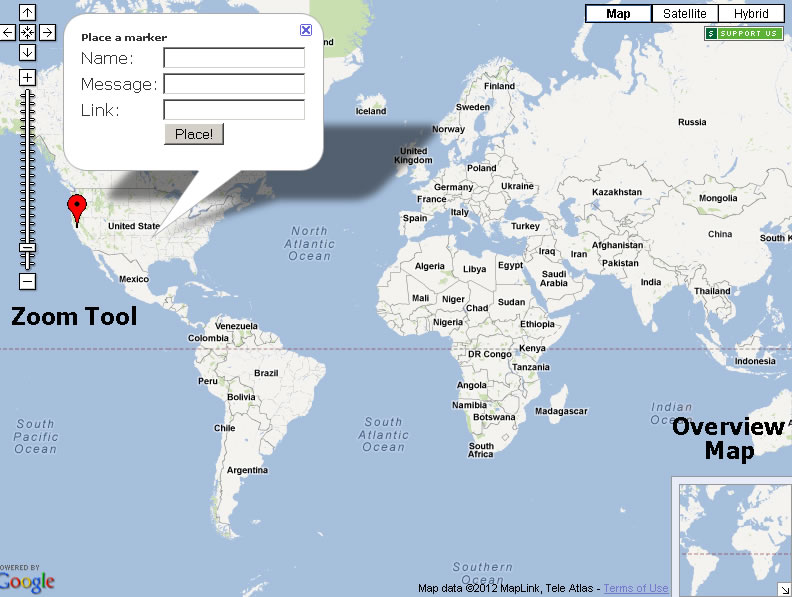
- Click on the map. A new window will open.
- Using the "Zoom Tool" to zoom into your location.
- Click the map and a dialog box will open up.
- In the "Name" field enter your name or if you prefer your nickname used in the group.
- In the "Message:" field enter your City and State and the model of Ornamental Mills that you own.
- In the "Link:" field you can enter a link to your own Web Site if you would like a little self promotion.
- If you are satisfied with your entries click the "Place" button.
Any information that you would like to give is optional. The name and message fields are required. Do not share any information that you do not want the entire world knowing. This page is available to the public. I would not recommend placing your email address in the name field or list your home address and phone number for example!
If you need to edit your information you can click on your marker and choose the edit or delete options. This option is only available for one hour after you create the marker (in theory).